
Camera Shot Types and Angles: The AI Video Prompt Glossary
Every shot size, camera angle, lens and framing term for AI video prompts: what each one says, wording to copy, and the film terms models take literally.
By the AI Video GT team · Updated · 17 min read
Key takeaways
- Every shot is three decisions: shot size (how much of the subject is in frame), angle (where the camera sits) and movement. This glossary covers size, angle, lens and composition; moves have their own guide.
- Open the camera part of your prompt with size and angle in plain words. "Low-angle medium close-up" tells a model far more than "cinematic shot".
- Some film terms get read literally. Describe the frame instead: "framed from mid-thigh up" rather than "cowboy shot", "camera tilted so the horizon slants" rather than "Dutch angle".
- Faces hold together best in medium shots and closer. In wide shots they are small, so keep them simple or turned away.
- In image to video the photo has already chosen the size and angle. To get a different shot, make a new start frame first.
On this page
- The prompt formula
- Shot sizes
- Vertical angles: how high the camera is
- Horizontal angles: which side we see
- Shots defined by who is in them
- Lenses and focus
- Composition: where things sit in the frame
- What each choice tends to say
- Terms models can take literally
- Image to video: the photo has already chosen the shot
- Build a scene from shot sizes
- Sources
Camera language is the quickest way to tell a video model what you want. "A woman in a café" could be framed a hundred ways. "Low-angle medium close-up of a woman in a café, 85mm lens, shallow depth of field" can only be framed a few, and they are all close to what you pictured.
The short answer: describe every shot with a shot size (how much of the subject fills the frame) and a camera angle (where the camera sits relative to the subject), in plain words, at the start of the camera part of your prompt: "Medium close-up, slightly low angle." Add a lens and focus note if the look matters. Then describe any camera movement in its own sentence, using the moves in our camera movement guide.
Each term below comes with what it communicates, wording that works in a prompt, and where video models tend to go wrong.
The prompt formula
A camera instruction that leaves nothing to chance answers five questions in this order:
[Shot size], [angle], [subject doing one thing] in [setting], [light]. [Lens], [depth of field]. [One camera move and its speed].
Medium close-up, slightly low angle, of a boxer wrapping his hands in a dim locker room under a single bare bulb. 50mm lens, shallow depth of field. Static camera.
Three rules keep it working:
- One size and one angle per clip. Two competing framings ("a close-up wide shot of...") get you a compromise that is neither. If you need two framings, make two clips.
- Framing first. Leading with size and angle keeps them from getting lost in a long prompt.
- Plain words beat jargon. When a film term also has an everyday meaning, describe the frame instead of naming it. There's a list of risky terms further down.
Shot sizes
Shot size describes how much of the subject is visible. The scale is defined by a standing person, but it works for objects too: a close-up of a watch fills the frame with the watch.
| Shot | Short form | What's in frame | Use it for | Prompt wording |
|---|---|---|---|---|
| Extreme wide shot | EWS | A vast setting, people are tiny | Scale, isolation, a sense of place | "extreme wide shot, the figure is tiny against the mountains" |
| Wide shot (long shot) | WS / LS | The whole body with plenty of setting | Where we are and what the body is doing | "wide shot, full body, the busy street around her" |
| Full shot | FS | Head to toe, filling the frame's height | Costume, posture, dance, action | "full shot, head to toe" |
| Medium full shot (cowboy shot) | MFS | Mid-thigh up | Two people interacting, confident hero framing | "framed from mid-thigh up" |
| Medium shot | MS | Waist up | Conversation, presenting, everyday action | "medium shot, waist up" |
| Medium close-up | MCU | Chest up | Interviews, dialogue, vlogs | "medium close-up, from the chest up" |
| Close-up | CU | The face, maybe the shoulders | Emotion and reactions | "close-up of her face" |
| Extreme close-up | ECU | One detail: eyes, lips, fingertips | Intensity, texture, detail | "extreme close-up of his eyes" |
| Insert (detail) shot | — | An object or a small action | The thing the scene hinges on | "close-up detail of a key turning in a lock" |
Extreme wide shot and establishing shot
The extreme wide shot makes the setting the subject. A person becomes a small figure on a ridge, a boat a speck on the sea. When an extreme wide or wide shot opens a scene to show where it takes place, it's called an establishing shot.
Extreme wide shot of a lone hiker on a knife-edge ridge above a sea of clouds at sunrise, the figure tiny against the mountains. Static camera.
AI note: in a frame this wide, a face is a handful of pixels, so models often smudge it. Keep people in silhouette, walking away, or simply small.
Wide shot (long shot)
The whole person is visible with room around them. It shows how someone moves and how they relate to the place: "wide shot of a street musician in a rainy square, full body, passers-by around him".
Full shot
The subject fills the frame's height, head to toe, with little room above or below. It's the go-to framing for fashion, dance and anything where posture or the whole outfit matters.
Full shot, head to toe, of a dancer in a white dress holding an arabesque on a bare wooden stage, single spotlight from above.
AI note: feet and the point where they meet the floor are a weak spot. "Feet planted firmly on the floor" helps. In a vertical 9:16 frame, a full shot fills the screen naturally; see our guide to vertical video sizes.
Medium full shot (cowboy shot)
Framed from about mid-thigh up. The name comes from westerns, where it kept a gunslinger's holster in frame, and it's also called the American shot (Videomaker). It keeps enough of the body for gestures and stance while the face stays readable.
Medium full shot, framed from mid-thigh up, of a mechanic standing beside a vintage car in a garage, arms folded, confident. Slightly low angle.
AI note: write "framed from mid-thigh up" rather than "cowboy shot". The word "cowboy" can pull in hats, boots and a western setting you didn't ask for.
Medium shot
Waist up. The workhorse of dialogue and presenting, because it shows the face and the hands at the same time.
Medium shot, waist up, of a barista talking to a customer across the counter, hands resting on the counter. Eye level, soft window light.
AI note: visible hands mean hand problems. Give them something simple and still to do, like resting on a counter or holding a cup. Our morphing guide explains why.
Medium close-up
Chest up. It's often the best compromise for AI video: the face is large enough for the model to hold the person's identity, with room for shoulders and a little gesture.
Medium close-up, from the chest up, of a young scientist explaining something with a small smile, a blurred laboratory behind her. 85mm lens, shallow depth of field.
Close-up
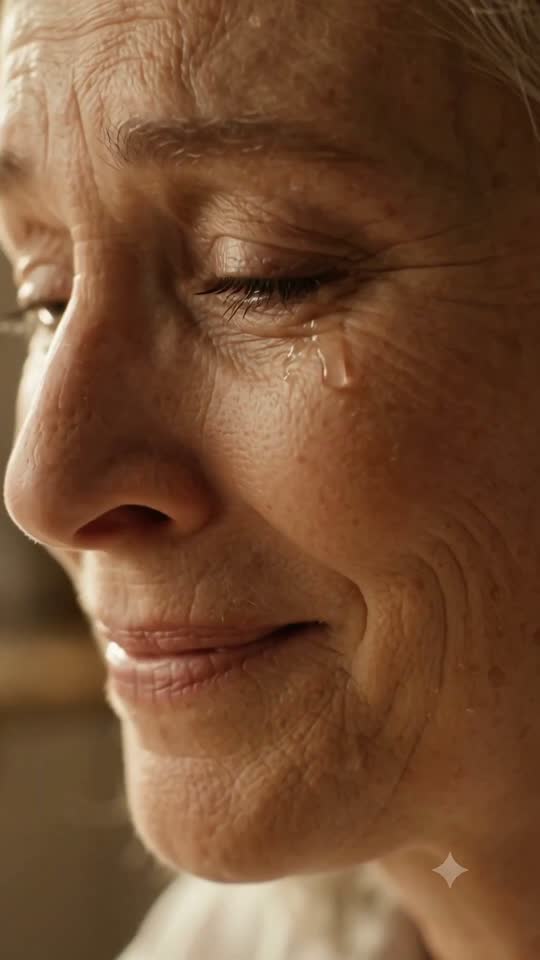
The face fills most of the frame. This is the shot for emotion: a reaction, a decision, a tear. It pairs naturally with a very slow push-in.
Close-up of an old fisherman's weathered face as he looks out to sea, a faint smile forming. Eye level, soft overcast light, very slow push-in.
AI note: faces look most real here, but any change in likeness is also most visible. Keep the motion small: a blink, a breath.
Extreme close-up
One feature or detail: an eye, lips, fingertips on piano keys. It creates intensity and points at what the audience might miss.
Extreme close-up of a woman's eye, the city lights reflected in her iris, a single slow blink. Macro lens.
AI note: "macro lens" tells the model to invent fine texture such as skin and iris detail.
Insert shot
A close shot of an object or small action that matters to the story: a phone lighting up, a ring being slipped on.
Close-up detail of a hand slipping a gold ring onto a finger, soft warm light, shallow depth of field. Static camera.
AI note: avoid inserts that depend on readable text, like a phone screen or a letter. Generated text is often garbled.
Vertical angles: how high the camera is
Angle is about where the camera is, not how much it sees. Any shot size can be shot from any height, and each height says something different about the subject.
| Angle | Where the camera is | What it tends to communicate | Prompt wording |
|---|---|---|---|
| Eye level | At the subject's eye height | Neutral, honest, equal | "eye-level shot" |
| High angle | Above the subject, looking down | Vulnerability, smallness, overview | "high-angle shot looking down at" |
| Low angle | Below the subject, looking up | Power, confidence, scale | "low-angle shot looking up at" |
| Overhead (top-down) | Directly above, pointing straight down | Pattern, layout, a detached view | "top-down shot, camera directly overhead" |
| Worm's-eye view | On the ground, looking straight up | Towering scale, awe | "from the ground looking straight up at" |
| Ground level | Just above the ground, looking along it | Speed, intimacy with the ground | "camera at ground level" |
| Aerial | High in the sky | Geography, scale, journey | "aerial shot from high above" |
Eye level
The default: it puts the viewer on equal terms with the subject. Use it for dialogue, interviews and anything that should feel natural, and say it explicitly when you want it.
High angle
The camera looks down. The subject looks smaller, more vulnerable or more watched: "high-angle shot looking down at a child sitting alone on a staircase". A gentle high angle also suits food, desks and anything laid out on a surface.
Low angle
The camera looks up. The subject feels powerful, heroic or threatening, and buildings feel taller. "Slightly low angle" gives a quieter version that flatters most people.
Low-angle shot looking up at a firefighter in full gear standing in front of a fire engine, smoke drifting behind him. Slow push-in.
AI note: a strong low angle on a close-up exaggerates the chin and nostrils. Save the steep angles for wider shots, or use "slightly low angle" for faces.
Overhead (top-down)
Straight down from above. It turns a scene into a graphic pattern, which is why it's popular for cooking, flat lays, board games and crowds.
Top-down shot, camera directly overhead looking straight down at a wooden table where two hands knead bread dough, flour scattered around.
AI note: "bird's-eye view" is the classic name, but the word "bird" can add birds. "Top-down shot, camera directly overhead" is unambiguous.
Worm's-eye, ground level and aerial
A worm's-eye view is the most extreme low angle, looking straight up at trees or skyscrapers. A ground-level camera skims the floor so wheels and feet feel huge and fast; add motion and it becomes the Low Tracking effect. An aerial angle shows geography from high above; once the camera flies, it's a drone move from the camera movement guide.
Dutch angle (canted angle)
Not a height but a roll: the camera is tilted sideways so the horizon and verticals slant (Videomaker). It signals unease, disorientation or that something is wrong.
Medium shot of a man in a phone booth at night, the camera tilted about 20 degrees so the walls and the horizon slant. Flickering street light, uneasy mood.
AI note: describe the tilt instead of relying on the name. "Dutch" can be read as a place, and models that ignore the term usually follow "the camera is tilted about 20 degrees so the horizon slants".
Horizontal angles: which side we see
Horizontal angle is where the camera stands around the subject, like positions on a clock face.
| Angle | Camera position | Effect | Prompt wording |
|---|---|---|---|
| Frontal | Straight in front | Direct, confrontational, symmetrical | "facing the camera straight on" |
| Three-quarter | About 45 degrees to one side | Natural, flattering, shows depth | "three-quarter view, turned slightly to the left" |
| Profile | 90 degrees, side on | Observational, graphic outline | "in profile, side view" |
| Three-quarter back | Behind and to one side | We share the subject's view | "seen from behind and to the right" |
| From behind | Directly behind | Mystery, following, anonymity | "seen from behind" |
AI notes:
- Three-quarter views hold faces best. They show both eyes and the shape of the nose, which gives the model plenty to keep consistent.
- Turning from back to front is a big change. A character who starts facing away and turns to camera forces the model to invent a face, and it may not match your other clips. Start from a frame that already shows the face if identity matters.
Shots defined by who is in them
Some shots are named after their subjects or the point of view rather than their size.
| Shot | What it is | Prompt wording |
|---|---|---|
| Two-shot | Two people in the same frame | "two people in the same frame, side by side" |
| Group shot | Three or more people | "the five friends together in one frame" |
| Over-the-shoulder (OTS) | Past one person's shoulder at another | "over-the-shoulder shot from behind the man, looking at the woman facing him" |
| Point of view (POV) | What a character sees | "first-person point of view, her hands visible at the bottom of frame" |
| Reaction shot | A face responding to something off screen | "close-up of his reaction, surprised, looking just left of the camera" |
AI note on two-shots and groups: when people overlap in frame, models tend to blend their features or swap details such as hair or clothes. Keep them apart, describe each briefly, and fix their positions: "the man on the left, the woman on the right".
Over-the-shoulder and shot-reverse-shot
The over-the-shoulder shot is the backbone of filmed conversations: one character's shoulder and the back of their head in the foreground, the other character facing the camera. Cutting between two OTS shots from opposite sides is called shot-reverse-shot.
Over-the-shoulder shot from behind a man in a grey coat, looking at a woman sitting across a café table who is speaking to him. The man's shoulder is soft and out of focus in the foreground, the woman is sharp.
For the reverse, generate a second clip from the other side with the descriptions swapped. Starting each clip from an image keeps both people identical; see our consistent character guide.
POV
The camera becomes the character's eyes. Hands at the bottom of the frame sell the effect. POV also appears as a move in the camera movement guide, where the camera walks or drives forward.
Lenses and focus
Focal length changes how a shot feels even at the same shot size (the figures below are the usual full-frame ones). A video model doesn't simulate optics; it has learned what footage described with these words looks like, so treat a focal length as a strong style hint rather than a measurement.
| Term | What it does to the image | Prompt wording |
|---|---|---|
| Wide-angle (about 14 to 24mm) | Exaggerates depth, stretches things near the lens, shows lots of setting | "wide-angle lens" or "24mm lens" |
| Normal (about 35 to 50mm) | Close to how the eye sees | "35mm lens" or "50mm lens" |
| Telephoto (about 85mm and longer) | Flattens depth, compresses the background, isolates the subject | "85mm lens" or "telephoto lens" |
| Macro | Very close focus on small things | "macro lens" |
| Fisheye | Extremely wide, curved lines | "fisheye lens" |
| Anamorphic | Widescreen look, oval highlights, horizontal flares | "anamorphic lens" |
| Shallow depth of field | Subject sharp, background soft | "shallow depth of field, soft background" |
| Deep focus | Foreground and background both sharp | "deep focus, everything sharp" |
| Rack focus | Focus shifts from one subject to another | "focus shifts from the glass in the foreground to the man behind it" |
Reliable pairings: 85mm with shallow depth of field for portraits, 24mm with deep focus for interiors and landscapes, and a macro lens with a soft background for products. The Anamorphic effect adds the widescreen lens look in one tap.
AI note: avoid wide-angle lenses for face close-ups unless you want distortion. Rack focus is a change over time, so give it the whole clip and nothing else to do.
Composition: where things sit in the frame
Size and angle decide what the camera sees. Composition decides where it sits within the rectangle.
| Term | What it means | Prompt wording |
|---|---|---|
| Rule of thirds | The subject sits on an imaginary line one third in from an edge | "subject on the left third of the frame" |
| Centred, symmetrical | The subject in the middle, the scene mirrored | "perfectly symmetrical composition, subject centred" |
| Headroom | Space between the top of the head and the frame | "a little space above her head" |
| Lead room (looking room) | Space in the direction the subject faces or moves | "space in front of him in the direction he is walking" |
| Negative space | Large empty areas around a small subject | "lots of empty sky around the figure" |
| Leading lines | Lines in the scene that point to the subject | "the railway tracks lead to the figure in the distance" |
| Frame within a frame | The subject seen through a doorway, window or arch | "seen through an open doorway" |
| Silhouette | The subject dark against a bright background | "in silhouette against the sunset" |
Negative space is especially useful for ads and thumbnails, because it leaves room for text you'll add later. In vertical 9:16 video, keep the subject in the middle band of the frame, since apps cover the edges with buttons and captions.
What each choice tends to say
These are conventions, not laws, but audiences have absorbed them.
| You want the viewer to feel... | Try |
|---|---|
| Small, alone, overwhelmed | Extreme wide shot, high angle, lots of negative space |
| Powerful, heroic | Low angle, medium full shot, slow push-in |
| Close to someone | Close-up at eye level, 85mm, shallow depth of field |
| Uneasy, off-balance | Dutch angle, tight framing, little headroom |
| Watched | High angle, wide, static camera, foreground objects in the way |
| Part of the conversation | Over-the-shoulder, eye level |
| Awe at scale | Worm's-eye view or aerial |
| Calm, neutral, informative | Eye-level medium shot, centred or rule of thirds |
Terms models can take literally
Video models learn from captions written by all kinds of people, so a term with an everyday meaning can pull that meaning into the scene. When a term misfires, describe the frame instead.
| Term | What can go wrong | Safer wording |
|---|---|---|
| Cowboy shot, American shot | Cowboy hats, boots or a western setting | "framed from mid-thigh up" |
| Dutch angle | Ignored, or read as a place | "the camera is tilted about 20 degrees so the horizon slants" |
| Bird's-eye view | Birds in the scene | "top-down shot, camera directly overhead" |
| Two-shot | Read as two separate shots | "two people in the same frame" |
| Money shot, hero shot | Money in the scene, or a superhero | "the main shot of the product, centred and well lit" |
Image to video: the photo has already chosen the shot
In image to video, your photo is the first frame, so the shot size and angle are already decided. Writing "extreme close-up" over a wide photo forces the model to get closer somehow, and it may zoom, push in or ignore you. The prompt should describe motion, not reframing.
To get a different shot of the same scene, make a new start frame:
- Upload the photo to the AI photo editor and describe the new framing, for example: "the same woman in the same café, now a close-up of her face, slightly low angle".
- Check the face, clothes and background still match.
- Animate the new frame with a motion prompt.
Or create each frame with the AI image generator using this glossary's framing words. In text to video, they go straight into the prompt.
Build a scene from shot sizes
Real scenes are built from several framings, usually moving from wide to close as the moment intensifies. Here's a five-shot sequence you can adapt:
- Establishing: extreme wide shot, high angle. A lighthouse on a cliff at dusk, waves below.
- Wide: full shot, eye level. The keeper climbs the spiral stairs, lantern in hand.
- Medium: medium shot, three-quarter view. He reaches the lamp room and strikes a match.
- Close-up: slightly low angle. The match light on his face.
- Insert: extreme close-up. The wick catches and the flame steadies.
Generate each as its own 5-second clip and join them with the free video merger. Two editing rules from film make the cuts feel smooth:
- Change the framing enough between cuts. Between two shots of the same subject, change the shot size clearly or move the angle by at least about 30 degrees, or the cut looks like a jump.
- Keep characters on their side of the frame. In a conversation, if she is on the left looking right in one shot, keep her on the left in the next. This is the 180-degree rule, and with AI video it means writing "she is on the left of the frame, facing right" into every prompt in the sequence.
Sources
Frequently asked questions
What are the main types of camera shots?
By size, from widest to tightest: extreme wide shot, wide (long) shot, full shot, medium full (cowboy) shot, medium shot, medium close-up, close-up and extreme close-up, plus the insert shot for details. Each says how much of the subject is in frame. Angles and camera moves are separate choices you add on top.
What is the difference between a shot type and a camera angle?
Shot type, or shot size, is how much of the subject fills the frame, such as a close-up or a wide shot. Camera angle is where the camera sits relative to the subject, such as eye level, low angle or overhead. Any size can be combined with any angle, so a good prompt names one of each.
What is a cowboy shot?
A cowboy shot, also called a medium full shot or American shot, frames a person from about mid-thigh up. The name comes from westerns, where it kept the holster in frame. In AI prompts, write "framed from mid-thigh up" instead, because the word "cowboy" can add hats and a western setting.
How do I prompt a Dutch angle in AI video?
Describe the tilt rather than relying on the name: "the camera is tilted about 20 degrees so the horizon and walls slant". Models that ignore or misread "Dutch angle" usually follow a literal description. Use it sparingly, for unease or disorientation.
Which shot size is best for faces in AI video?
Medium close-ups and close-ups. The face is large enough for the model to keep the person's identity, and small movements such as a blink or slight head turn look natural. In wide shots faces are only a few pixels, so they are more likely to blur or distort.
Can I change the camera angle when animating a photo?
Not reliably. In image to video the photo is the first frame, so its size and angle are already set, and the prompt should describe motion. To get a different angle, create a new start frame first, for example with an AI photo editor, then animate that.
Frame your next shot
Paste a framing phrase from this glossary into your prompt, pick a model and generate. Plans start at $9 a month.